DIT University: School of Design Website
2024
Industry
Academia
Rebrand
While working as an Assistant Professor at DIT University, I was tasked with presiding over the team responsible for redesign of our department's website. After reviewing the initial student work, I took the lead on redesigning the hero section myself, aiming to create a more polished and effective entry point for our users while also guiding my students through the process.
My Role
Tools Used



Challenge
The initial directive from the Dean was clear: the design needed to be minimal and sophisticated.
However, my own research told a different story. After speaking with the admissions department, I learned that a primary user group: parents of prospective students had vastly different expectations and needs when navigating the site.
This created a fascinating design challenge: how to create something that felt sophisticated to the faculty but was also clear, welcoming, and intuitive for parents?
Constraints
The project came with a significant technical constraint: I was required to build upon the design system of a pre-existing website template which a freelance development firm, hired by the university was working over.
The problem was, this template was not a Figma file; it had been built directly by a developer, and there was no proper documentation and they refused to share their codebase or files even with some explanation and pursuation.
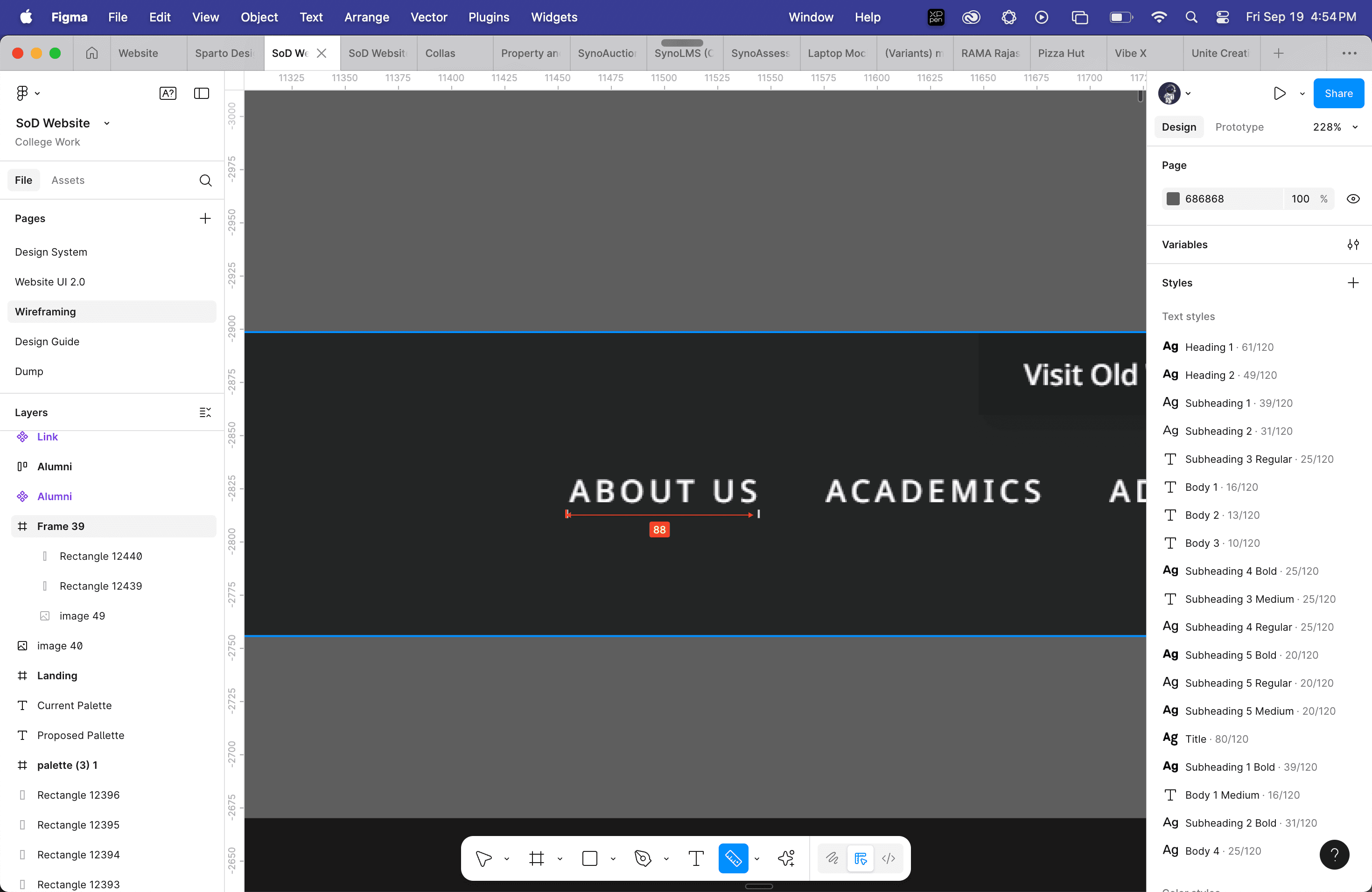
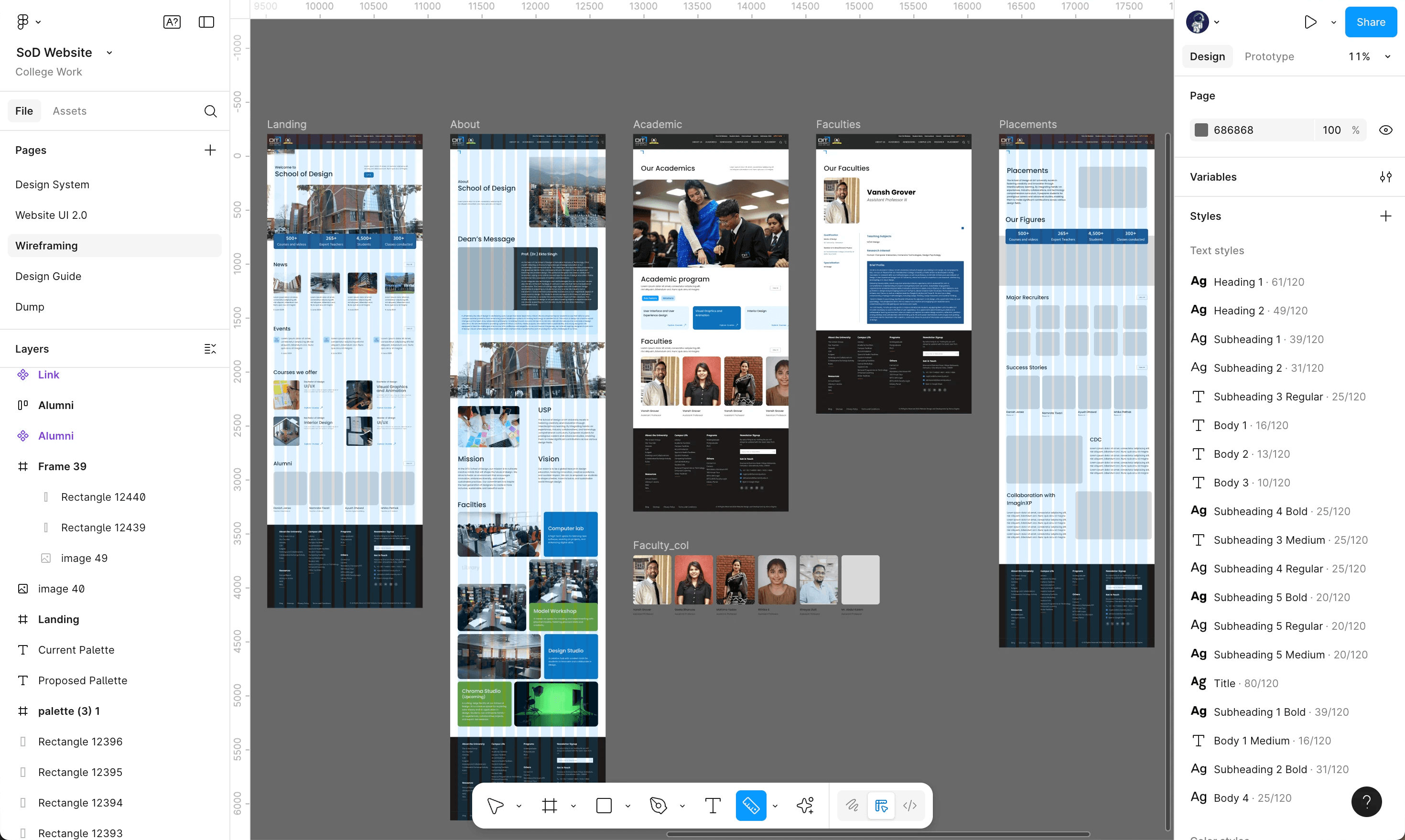
To overcome this, I had to reverse-engineer their entire design system by taking screenshots of the live template, importing them into Figma, and meticulously retracing the components to deduce the spacing, typography, and styles. On top of this, I was bound to a strict color palette dictated by the official DIT University logo.
Secondary Research
I started by looking for inspiration from top design schools like Parsons and the Royal College of Art. I needed to understand the approach of global leaders of design education in their websites.
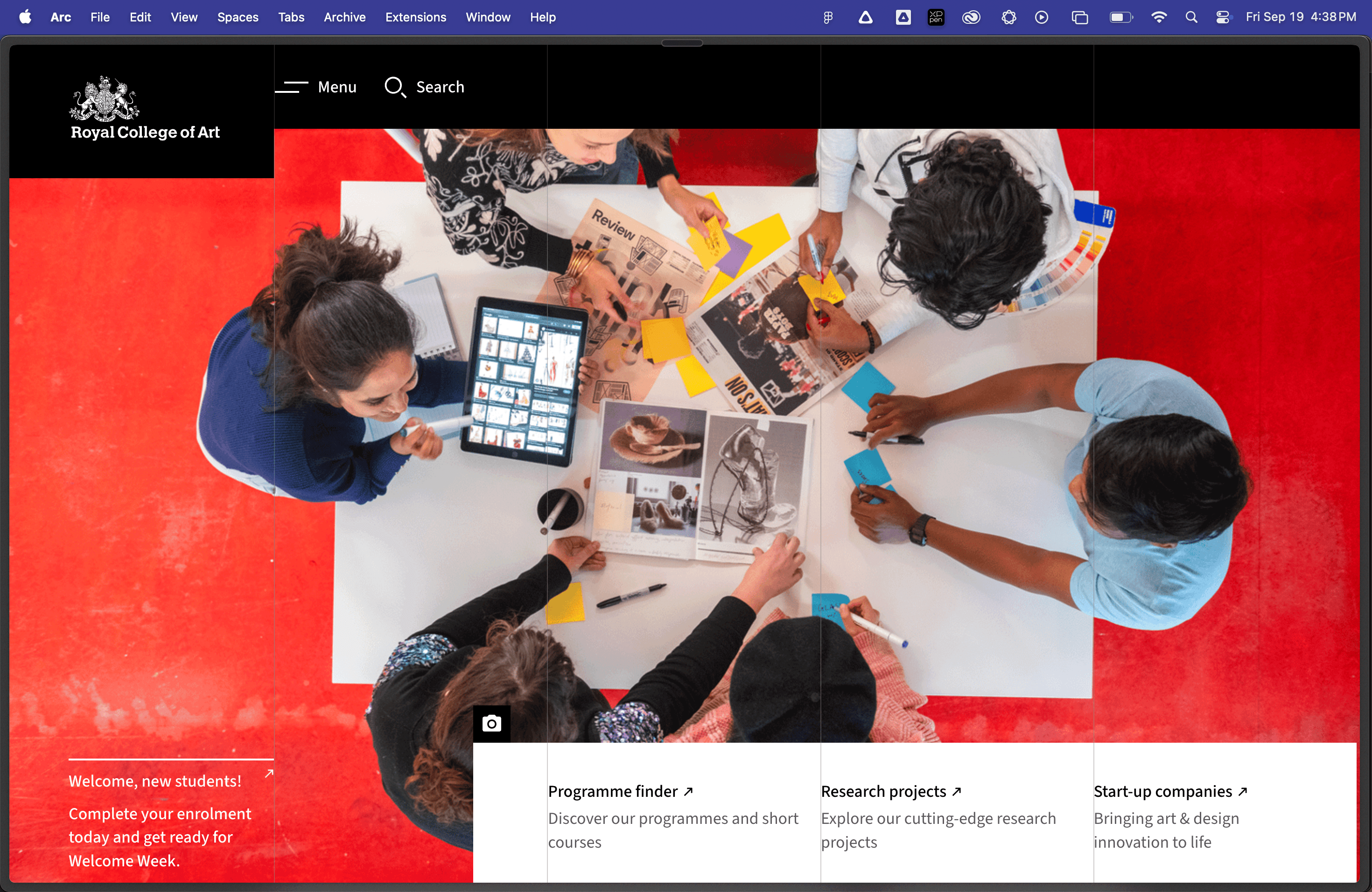
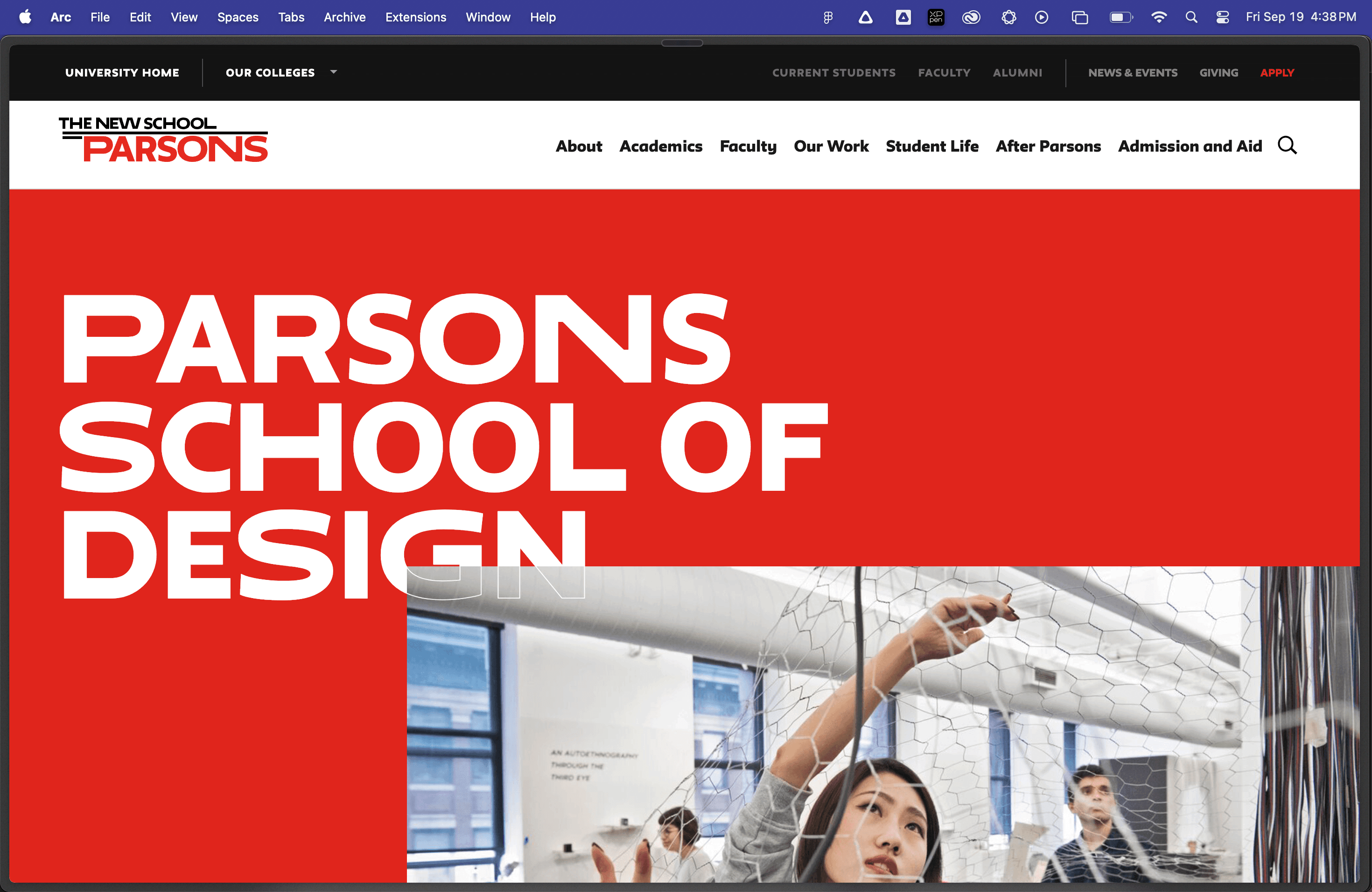
I noticed how they like to make the use of white space and keeping the design minimal keeping the attention to students and their name. However, I was not a big fan of their overuse of red in their hero section.
Getting down to work
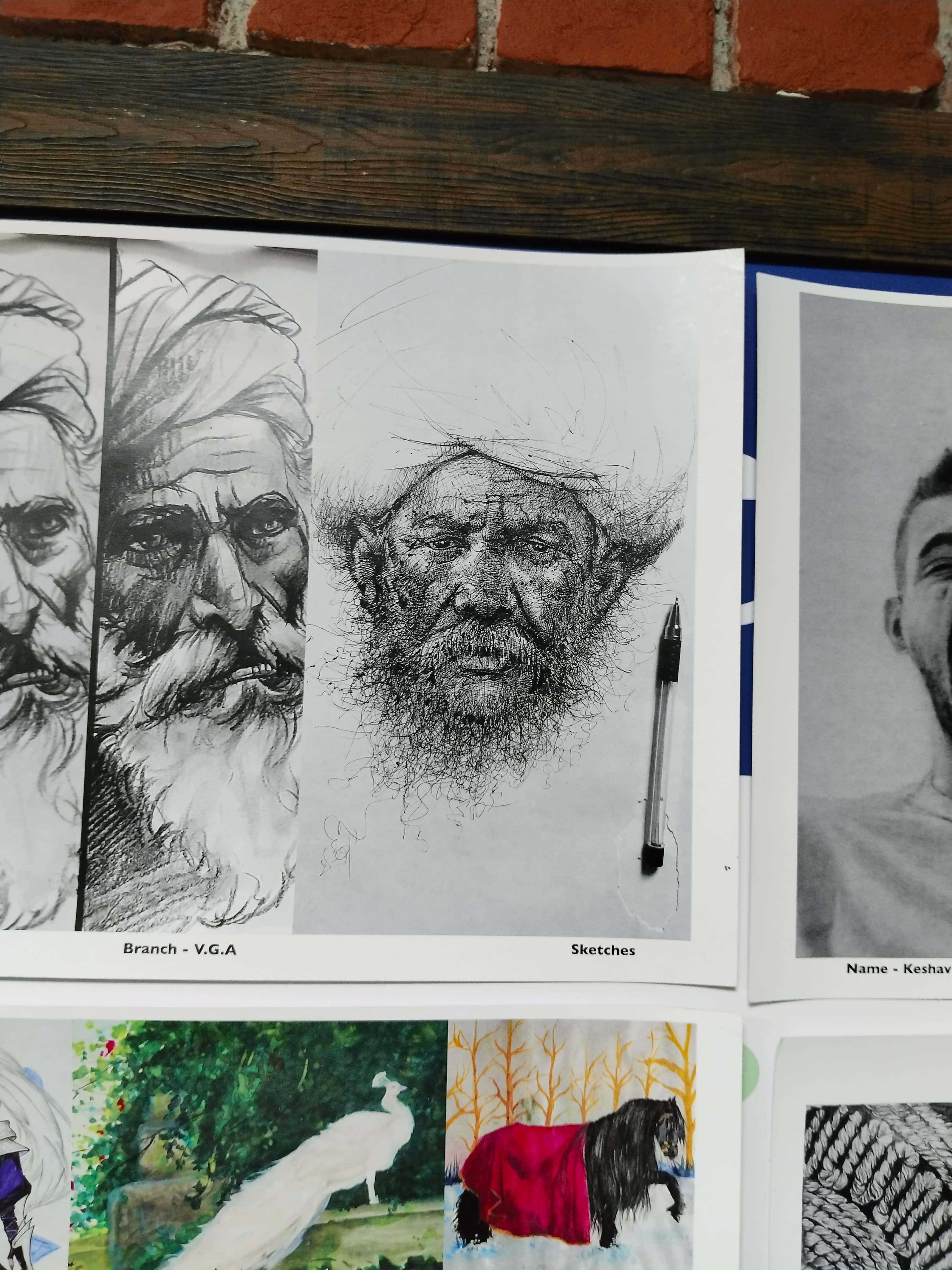
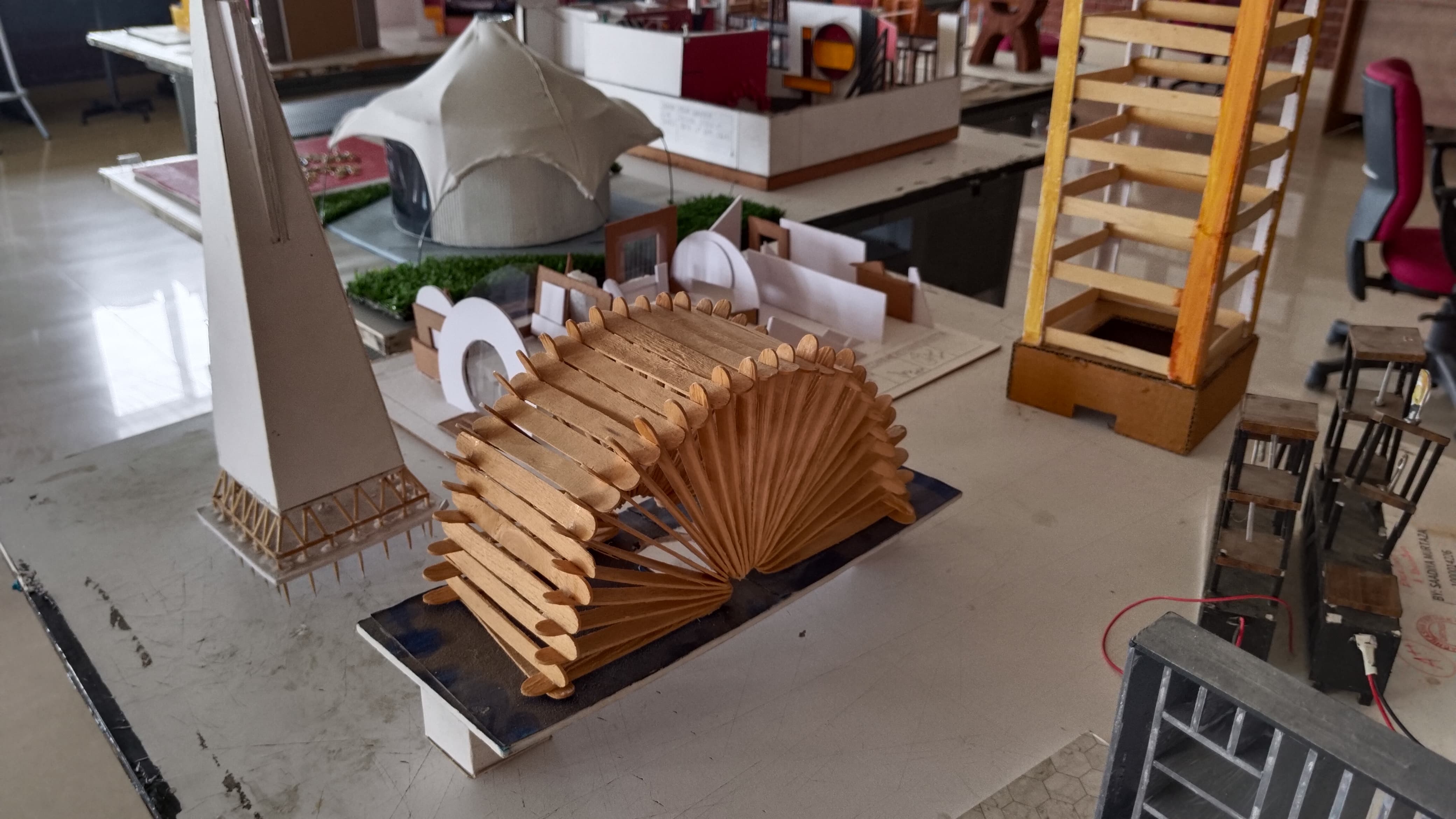
Luckily during the time of this project, we had an exhibition of the student's work on display. While my students were recreating the design system under my guidance, I went to click some pictures of the projects that stood out. I also gathered some student photographs University had taken for their marketing.

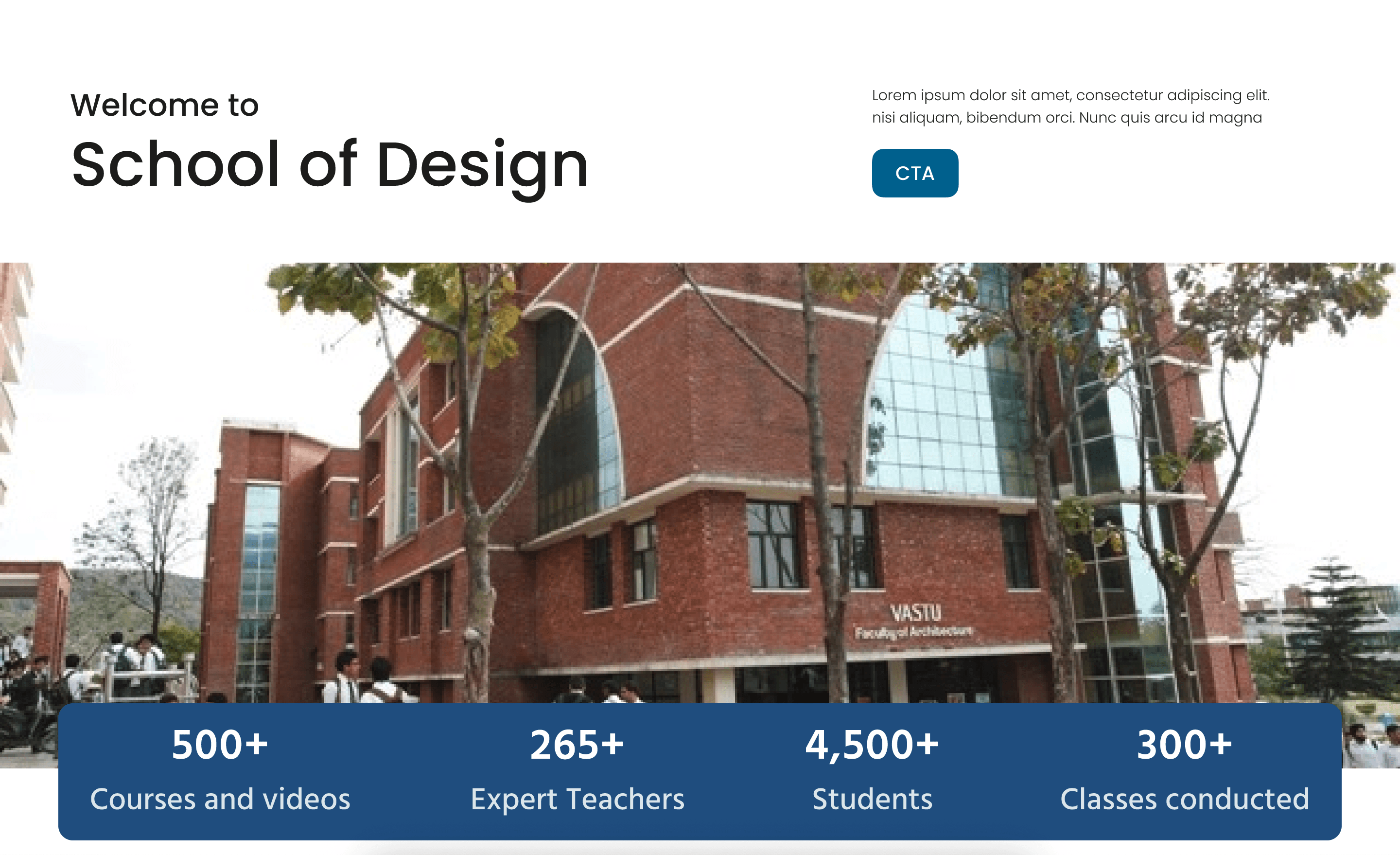
After the guidelines were created, the students started building the design.
Key Iterations
I was happy with their approach to showcase informational data but I quite didn't like the use of images and hero sections. It could have been enhanced. So I experimented with the hero section and design system while trying to balance three key factors:
1. The key users are the students who are exploring college options. That means it should appeal GenZ audience.
2. At the same time, it should be comprehensible to their parents who would look at the website to cross examine the potential student choices.
3. Thirdly it should honor the wishes of our department's Dean and other university officials.
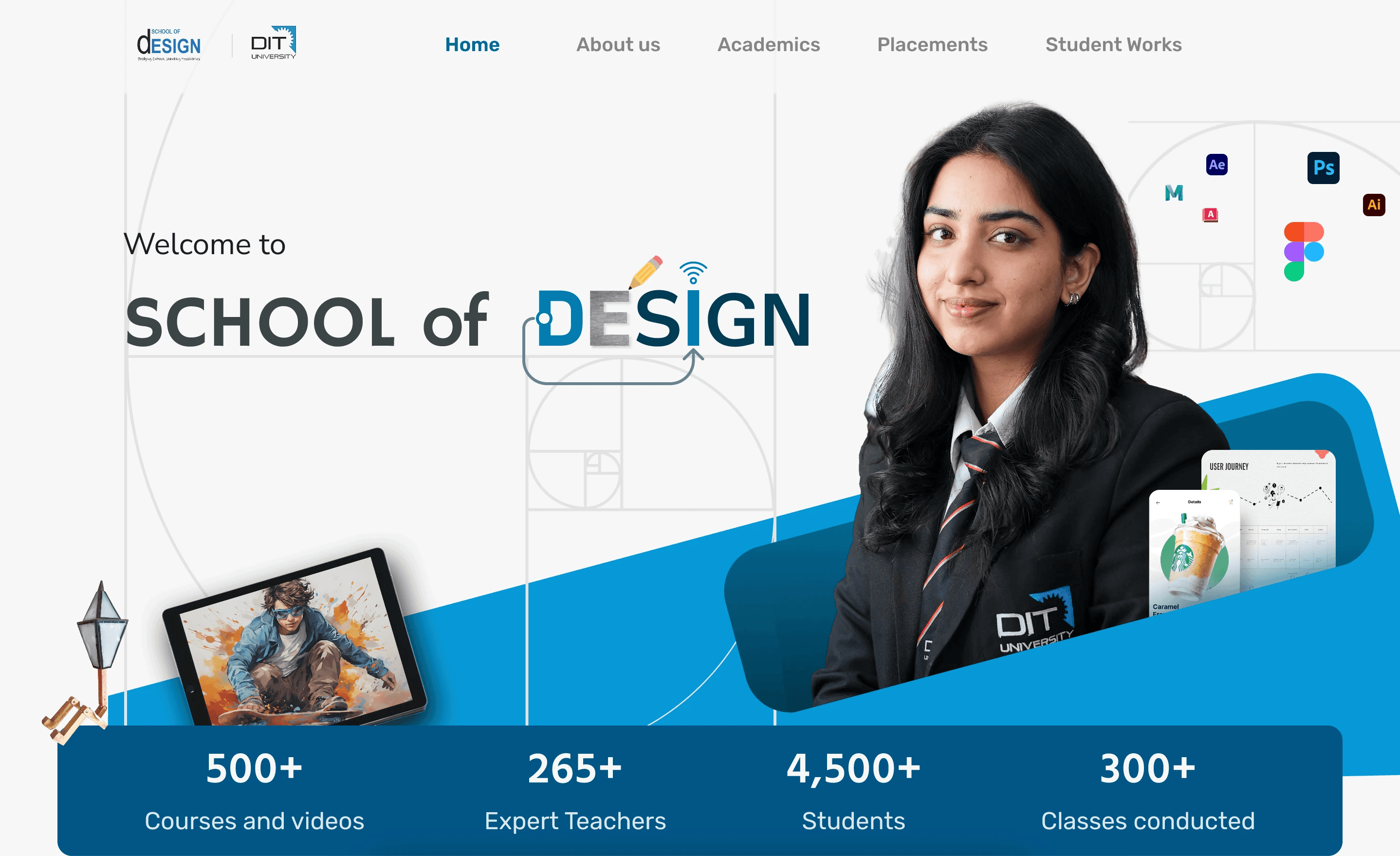
The idea behind this concept was to highlight design principles we teach like "golden ratio grids, softwares and blending it with student's works like the images beside the B.Des UX Design's student work. So this will feature students popping up from that enclosure from different departments with the appropriate works besides them.
Also I created the composition using the golden ratio. The icons in the background the same golden spiral as a guide just flipped over. The word "DESIGN" was created with signifiers like prototype wire, pencil sketching, wifi signal over wifi pointing to futuristic technologies and approach.
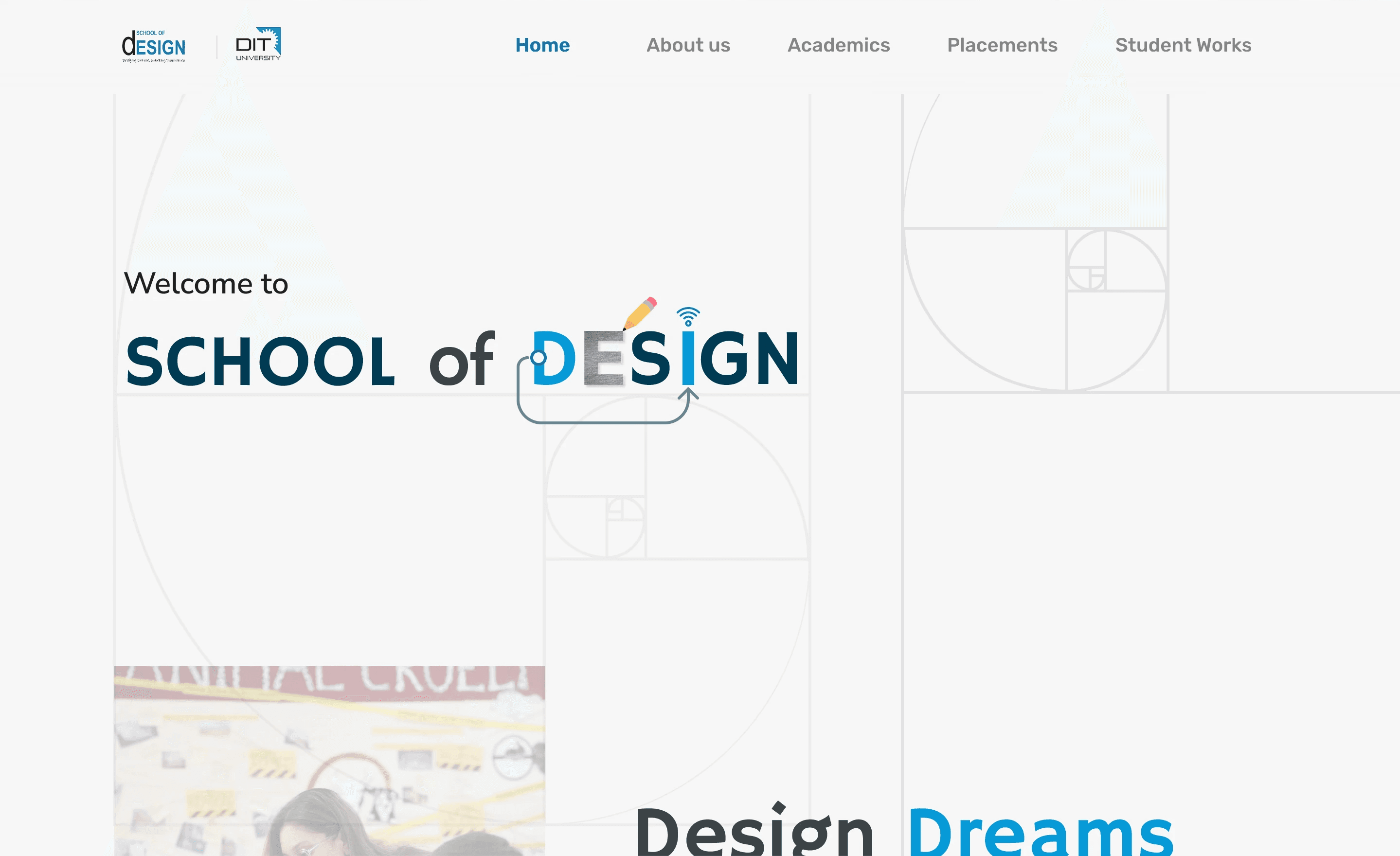
The illustrative approach, however felt a bit too "comical" for our Dean's sophisticated vision. Taking that feedback, I stripped back the background elements and focused on a much cleaner, typography-driven layout which felt more minimal while keeping all the key factors in mind.
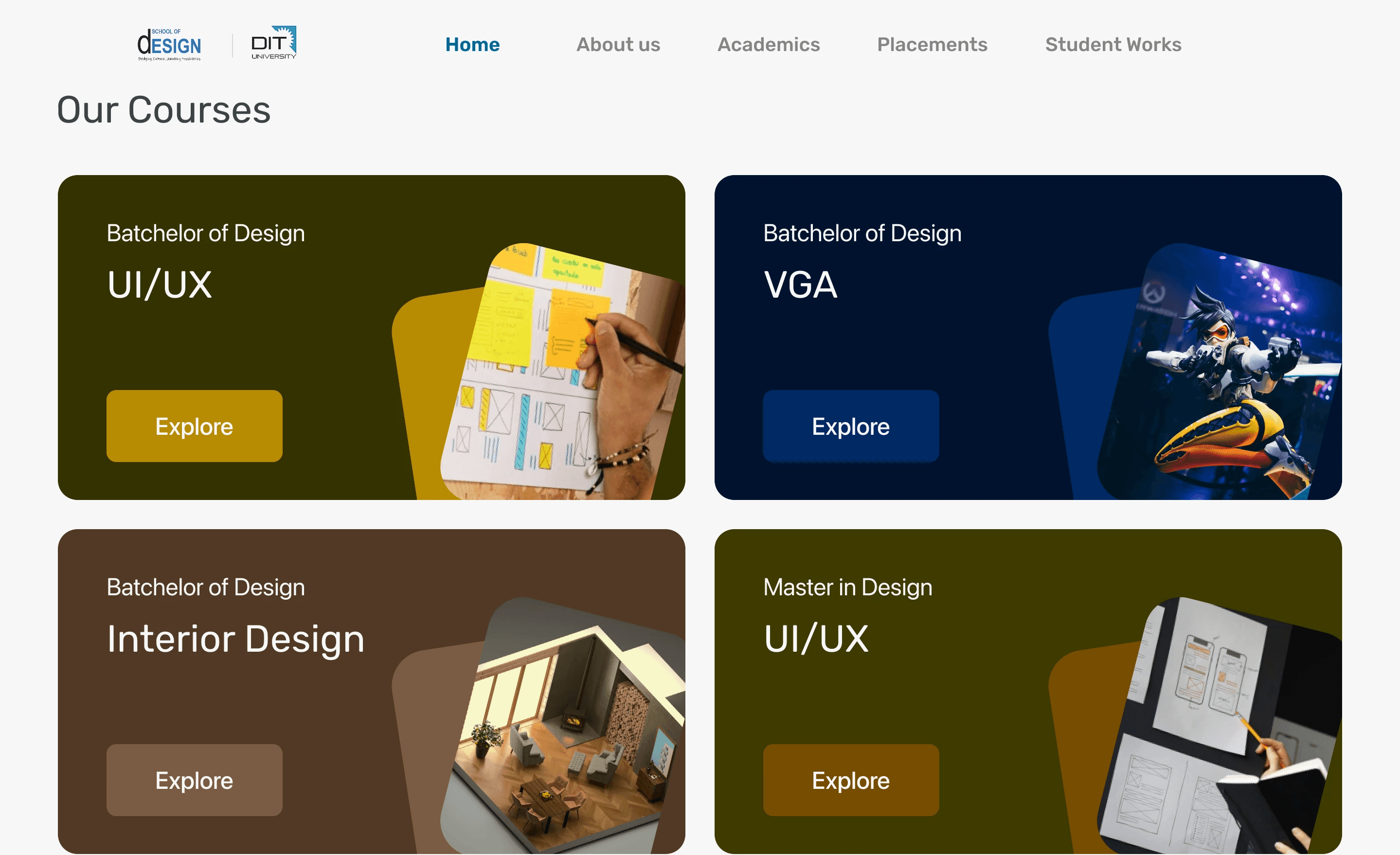
I also implemented a change in the home page which was to have CTA's to have course exploration options within the home page which will save some clicks and avoid confusion.
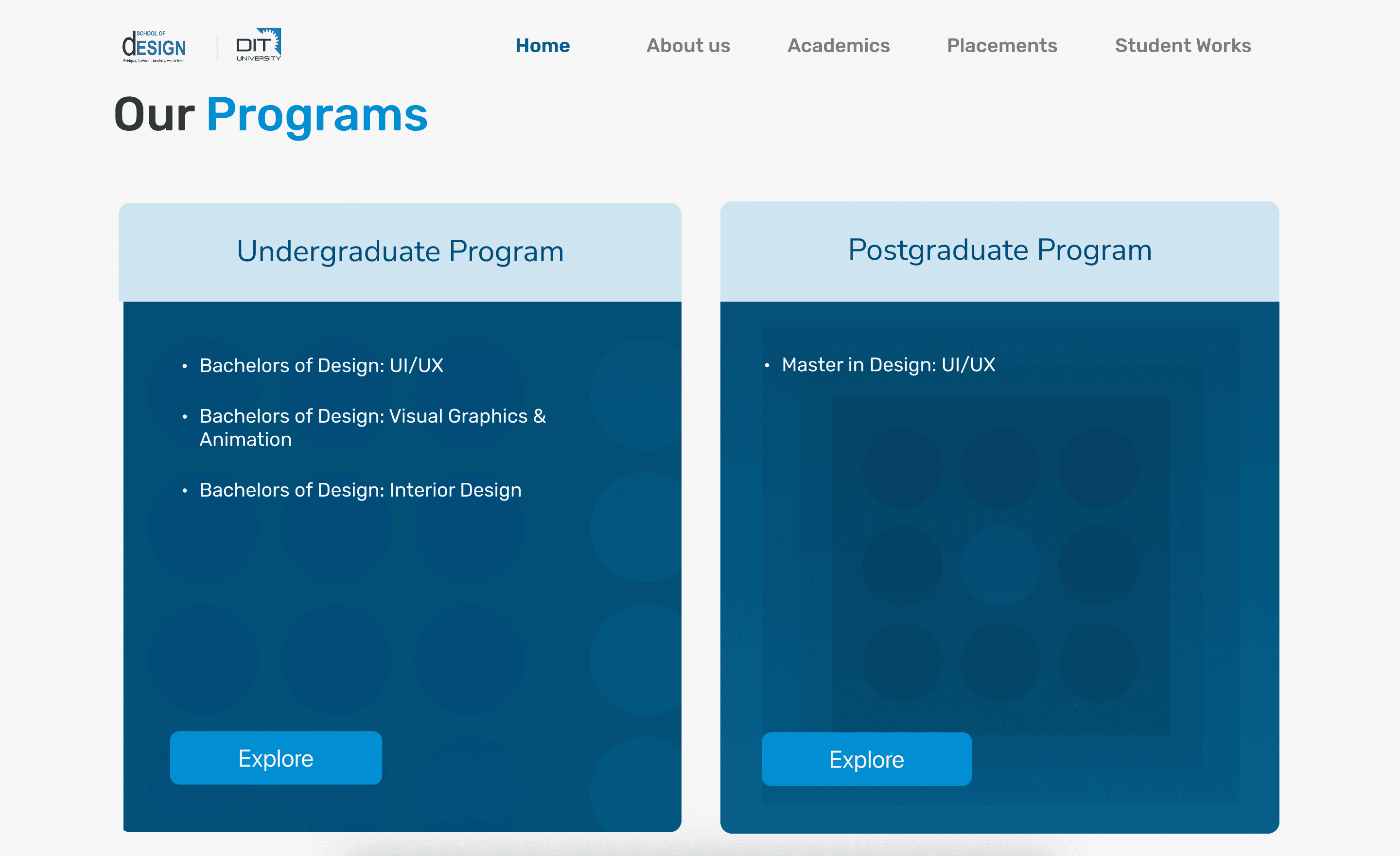
Our dean and officials however wished to have them pointed to a common page instead which was split by Undergraduate and Post Graduate courses since their updated sitemap had that in plan. So I took inspiration from "Laws of UX" website (since UX design course was the most popular course which brought the university maximum admissions in the department) to create course list with the apt CTAs.
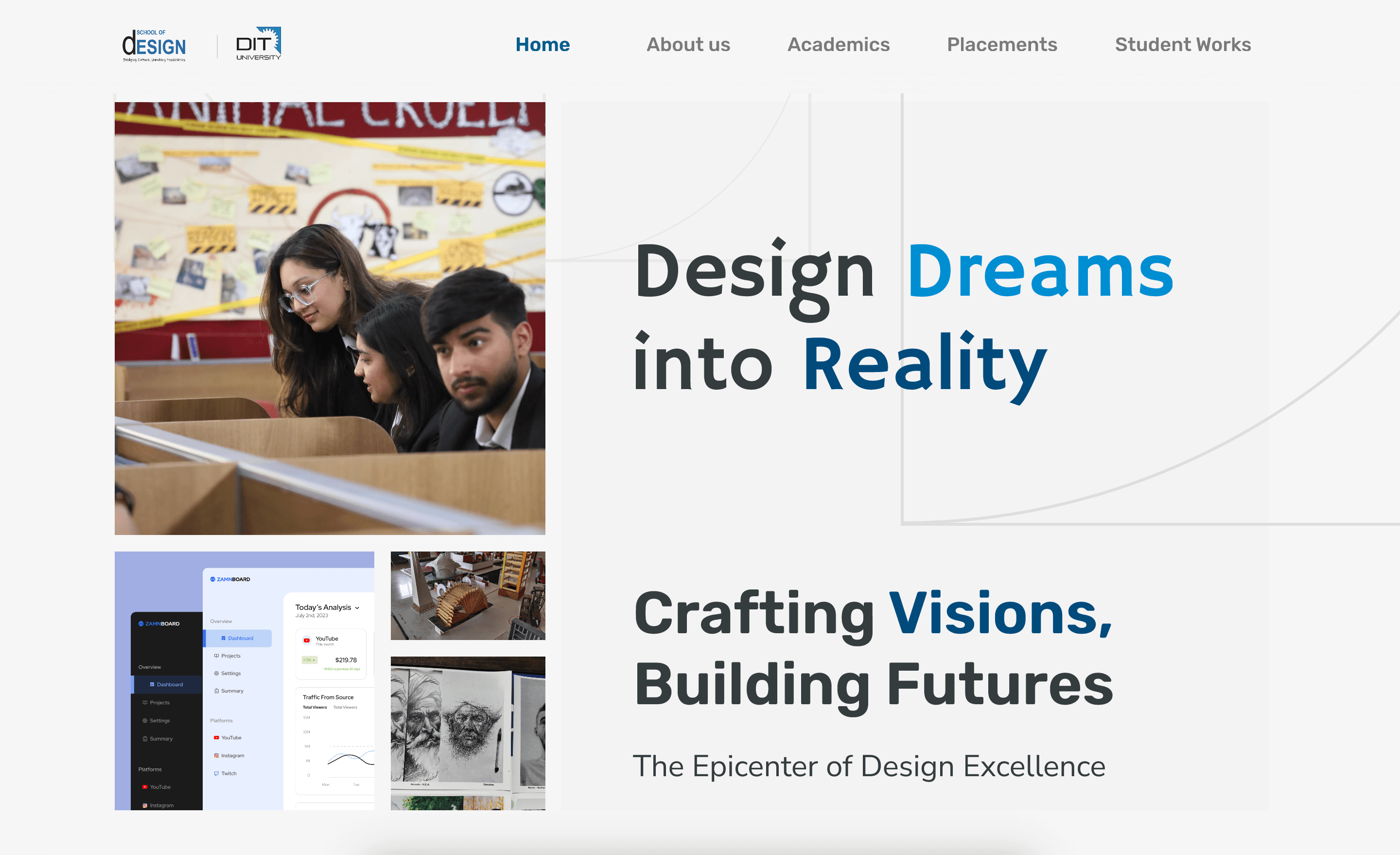
Since I was going for a golden ratio based approach, I also improved the image grids to follow the golden Ratio square grid too.
Final Deliverables
The project concluded with three key deliverables:
High-Fidelity, Responsive design for DIT's school of design website.
Interactive Prototype for the website for ease of desired implementation.
Initial Design System, for our future designs to build upon.
Takeaways & Reflection
Although the new proposed design never moved into development due to university's budget scope, the project was an invaluable real-world lesson for both me and my students. It was a deep dive into the unique challenges of academic web design and a powerful reminder that uncovering and designing for the needs of all user groups is always the most important part of the job. It also gave me important lessons in leadership and design management.